
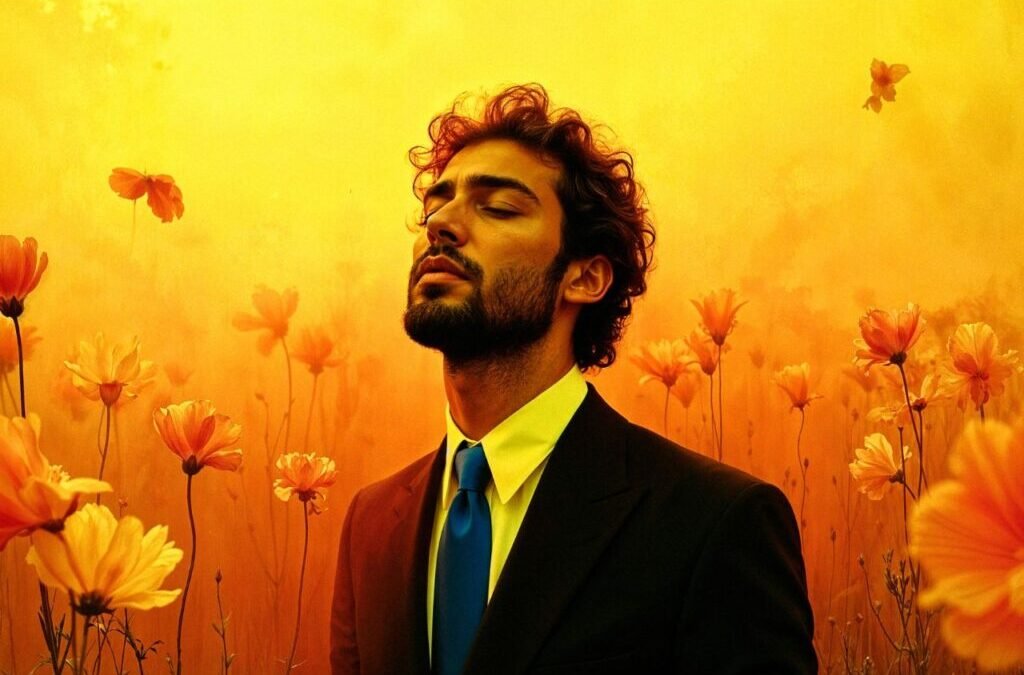
Getting a professional headshot used to mean booking a photographer weeks in advance, setting aside time for a studio session, and then waiting several days to receive edited images. Unlike that drawn-out process, an AI image/photo editor can take a single uploaded photo and return a polished, professional result in under a minute. For a lot of people, that changes the calculation entirely.
This guide walks through how AI image tools work for headshot creation, what separates a reliable one from an unreliable one, and how HeadshotMaster specifically handles this workflow.
We’ll also look at how features like an AI clothes changer fit into the broader picture. Whether you’re updating a LinkedIn profile, preparing job application materials, or simply refreshing your professional presence without the overhead of a studio booking, understanding these tools helps you use them with realistic expectations.
Quick Reference: HeadshotMaster
| Feature | Details |
| Generation speed | Under 1 min — unlike the 2–5 day wait for studio edits |
| Input requirements | 1 photo upload |
| Scene options | Standard professional backgrounds |
| Access model | Anonymous: 3 free uses; registered: more per model |
| Key limitation | Output quality is tied to input photo quality |
How AI Headshot Technology Has Improved
Early AI portrait generators had obvious, consistent problems — flat skin tones, visible seams where backgrounds were swapped, and facial features that occasionally blurred or shifted in ways that made results unusable.
Modern models are trained on significantly larger and more diverse image datasets, and the practical quality gap between AI-generated portraits and traditionally photographed ones has closed in ways that actually matter for everyday use.
Where post-production once meant a skilled editor working across multiple software tools over several hours, today’s AI handles lighting correction, background substitution, and facial feature preservation in a single pass. It’s not always perfect — occasional errors still occur — but for professional profile use, the output is consistently reliable.
Honestly, the speed is what catches most first-time users off guard. They expect the process to feel more involved than it is, and then the result just appears.
What Makes a Reliable Tool in This Space
Reliability in AI headshot generation isn’t only about the image itself. It’s also about how a platform manages access, communicates its limits, and behaves when results fall short.
A few markers worth looking for:
- Low input friction. Unlike older systems that needed multiple reference photos from different angles, a well-designed tool works from a single image.
- Transparent access model. You should know upfront how many free uses you have before registration or payment is required.
- Honest about limitations. Credible tools acknowledge the possibility of occasional distortions or detail errors rather than promising flawless output.
- No payment barrier to evaluate. A reliable platform lets you test quality before committing — unlike services that require a credit card just to access the interface.
- Useful supplementary features. An AI clothes changer, for example, lets users adapt attire digitally for different industries or roles, which extends the usefulness of a single headshot without any additional shooting.
Third-party reviews on Trustpilot or G2 also add credibility. Platforms without that review history require users to rely on direct testing for evaluation — something worth factoring in before you commit.
HeadshotMaster: Speed as the Starting Point
Speed changes more than turnaround time. It changes how willing you are to iterate. Unlike a studio session where one good result is the goal, a tool that generates a headshot in under a minute makes trying again a low-cost decision. If the first result isn’t quite right, you adjust the source photo and regenerate — no scheduling, no wait, no added expense.
HeadshotMaster’s core workflow runs through its AI Image Editor — a streamlined interface built around single-photo upload and immediate generation. No account required to start: you can produce up to three headshots anonymously, without providing payment information. Users who need more output can register for free to unlock additional generation capacity per model.
Output quality is worth addressing directly. The generated image closely follows the reference photo in terms of facial likeness — the platform preserves the specific features of the person in the source image rather than producing an averaged or idealized face. That specificity matters. A headshot that actually looks like you is more practically valuable than a technically polished image that doesn’t.
That said, a well-lit, forward-facing photo with a neutral background produces noticeably stronger results than a dim, angled, or visually cluttered one. Unlike professional photography, where lighting is controlled at the shoot, input quality here falls on the user.
A few limitations are worth naming. There are currently no fine-tuning or post-generation editing controls — what the platform delivers is largely final, unlike editing software where individual elements can be adjusted after rendering. ‘
Verified user reviews on Trustpilot or G2 are not yet available, so evaluation relies on direct testing rather than community feedback. Occasional facial distortion or detail errors can appear, especially around hairlines, ears, and clothing edges, and more so with lower-quality input photos.
For a free, no-login-required tool that returns results in under a minute, the practical value is real. The limitations are worth knowing — but they don’t undermine what the tool does well.
Who Benefits
The most obvious use case is job seekers who need a professional photo quickly and without the budget for a studio session. But the actual range of people who get real value from AI headshot tools is wider than that.
Freelancers and independent consultants tend to update their professional profiles more frequently than a traditional photo session can support — having a fast, free option between formal shoots makes that genuinely practical.
Remote workers face a different version of the same problem: they often don’t have easy access to an in-office photographer or corporate headshot service, so arranging anything professional requires extra effort most people don’t want to deal with. Students preparing for internship applications or early career networking run into similar constraints, usually with even tighter budgets.
Small business owners building team pages face a logistics issue that’s easy to underestimate. Unlike hiring a photographer for a single individual portrait, coordinating a group shoot across multiple schedules is genuinely difficult — and often disproportionate to the actual need.
Content creators are another group that benefits more than the headline use case suggests. They maintain active profiles across multiple platforms, refresh images regularly, and rarely find it cost-effective to rebook a photographer each time.
What connects all of these situations is the same underlying need: professional output without the overhead. AI image/photo editor tools address that directly by enabling faster, lower-cost iteration — which matters most when professional contexts shift frequently or span multiple industries.
Getting the Most from the Process
Input choices have a larger effect on the final result than most first-time users expect. A few habits consistently improve output quality:
- Prioritize lighting. Indirect natural light near a window is clean and even — no equipment needed, just avoid heavy shadows or low-light conditions.
- Face the camera directly. A forward-facing image gives the AI more complete facial data to work with, which reduces the likelihood of structural distortion in the output.
- Use a plain background in your source photo. A neutral backdrop reduces the amount of correction the model needs to apply, which generally produces cleaner results.
- Try multiple input variations. Unlike committing to a single studio session, generation speed makes testing different source photos a practical strategy — there’s no real cost to experimenting.
- Review the output at full resolution before downloading. Hairlines, ears, and clothing edges are where detail errors most commonly appear. Checking those areas takes thirty seconds and can save you from sharing a flawed image.
Conclusion
AI image technology has made professional headshots genuinely accessible in ways that weren’t realistic just a few years ago. The traditional path — scheduling, travel, the session itself, days of post-production — carried a logistical weight that simply doesn’t exist anymore for most professional profile needs.
HeadshotMaster is a clear example of that shift: free to try without account creation, built around a fast single-upload workflow, and straightforward about what it can and can’t produce.
For users who want to take it further — adapting professional attire to different industries or roles without booking a new session — an AI Cothes Changer is the natural next step. Unlike returning to a photographer with a different outfit, it handles that adjustment digitally, without cost or scheduling friction.
The technology will keep improving. For most professional headshot needs today, the speed and accessibility of AI tools already make them a practical, low-barrier choice.
The post How to Use an AI Image/Photo Editor to Create Professional Headshots in 2026 appeared first on Trade Brains Features.