

In today’s digital-first world, visual content isn’t just eye-catching, it’s also essential. From social media marketing to e-commerce branding and personal portfolios, compelling images can make or break engagement. But not everyone has access to professional design tools or years of Photoshop experience.
This is where AI-powered editing tools come into play and Kaze.ai stands out as one of the most intuitive and versatile options available. Unlike traditional editing software that relies on manual adjustments and technical expertise, Kaze.ai reimagines the editing workflow through smart automation and natural language interaction.
In this guide, we’ll break down how Kaze.ai differs from conventional design tools, why it might be the better choice for many users, and how its features can elevate your visual content effortlessly.
What Is Kaze.ai and How Does It Work?
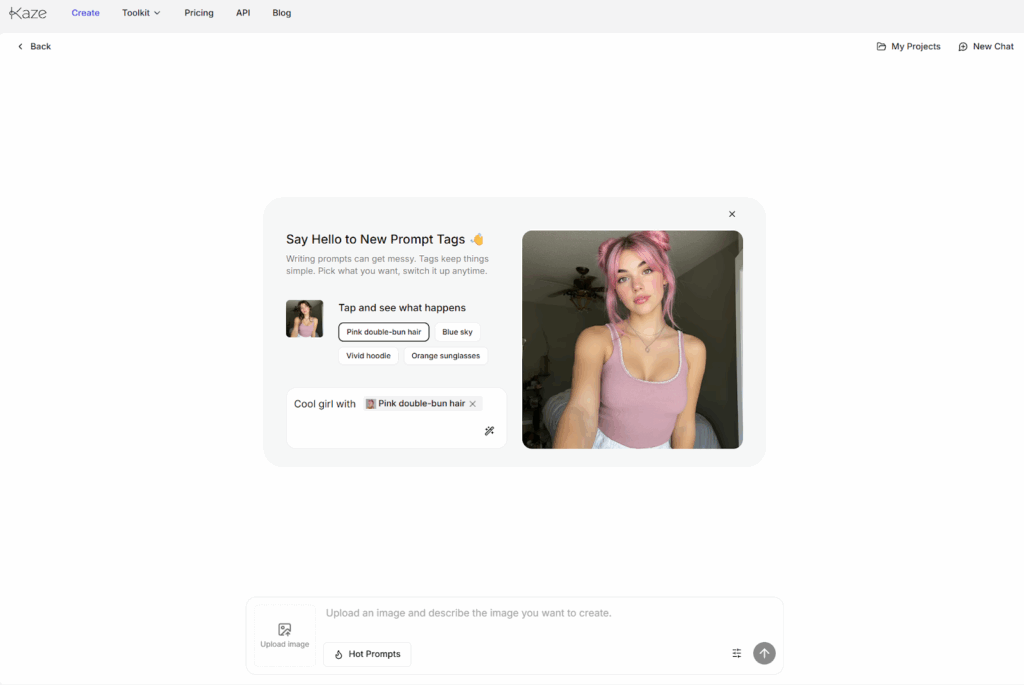
At its core, Kaze.ai is an AI image editing and generation platform that allows users to transform photos, create stylized visuals, and apply advanced edits using intelligent tools all without deep design knowledge.
Unlike complex software where you manually adjust layers, masks, and color curves, Kaze.ai simplifies the process:
- Upload your image.
- Describe what you want using simple phrases.
- Let the AI automatically generate professional-looking results.
This conversational editing approach reduces friction between creative intent and execution, making professional visuals accessible to everyone — from beginners to seasoned creators.
Key Features Breakdown
Here’s how Kaze.ai stacks up against traditional image editing tools:
1. Chat-Based Editing vs Manual Control
Traditional tools require precise manipulation of sliders and layers. Kaze.ai lets you describe edits in plain English — for example:
“Remove the watermark and brighten the sky.”
The AI interprets this request and edits the image accordingly. This makes even complex edits accessible without a deep learning curve.
2. Background Removal Made Simple
Removing or replacing backgrounds in conventional software can require detailed selections and masking. With Kaze.ai’s smart background tools, subjects can be isolated or swapped in seconds — ideal for product photos, portraits, or promotional visuals.
3. Creative Enhancements and Expansions
Beyond basic edits, Kaze.ai offers fun and creative features like style transformation, AI-generated background expansion, and even themed aesthetic filters — without needing custom brushes or plugins.
4. Automated Restoration and Enhancement
Restoring old photos or improving quality manually can be time-consuming. Kaze.ai uses AI to:
- Sharpen blurry images,
- Restore faded colors,
- Remove visual noise.
All of this happens with a click — no manual cleanup required.
Traditional Editing Tools: Why They Excel and Where They Fall Short
Professional image editors like Photoshop or Affinity Photo have long been the go-to tools for designers because they provide:
- Precise control over every pixel,
- Layer-based workflows,
- Extensive plug-in ecosystems.
However, this power comes at a cost:
- Steep learning curves — New users often struggle to learn essential skills.
- Time-intensive workflows — Manual adjustments can take hours.
- Cost barriers — Professional software requires pricey licenses or subscriptions.
For users whose primary goal is quick, high-quality visual creation without professional training, AI-first tools like Kaze.ai can drastically reduce both time and effort.
Who Should Use Kaze.ai?
Kaze.ai is especially well-suited for non-technical creators and content professionals who need to produce visual assets quickly:
- Social media managers creating daily posts,
- Small business owners building branding visuals,
- E-commerce sellers needing product edits,
- Content creators without design backgrounds.
If you frequently find yourself needing polished visuals but lack advanced editing skills — Kaze.ai can be a game-changer.
Final Thought: The Future of Creative Work Is Intelligent
AI isn’t here to replace human creativity — it’s here to augment it. Kaze.ai exemplifies how intelligent assistance can transform visual editing from a technical hurdle into a fluid creative process.
Whether you’re a beginner experimenting with designs or a professional streamlining your workflow, leveraging AI can save time, reduce manual labor, and unlock new creative possibilities.
The post Kaze.ai vs Traditional Image Editing: Which AI Tool Is Right for Your Creative Workflow? appeared first on Trade Brains Features.